What to Wear for a Headshot: The Complete Outfit Guide
Stature AI
AI Photography Experts
Your headshot communicates your professional identity before you say a single word. The background, lighting, and camera all matter — but what you wear is the one element that most candidates underestimate. The wrong outfit can make a polished photo look dated, distracting, or off-brand. The right outfit keeps all the attention where it belongs: on your face and the confidence you project.
Whether you're refreshing your LinkedIn profile, updating your company page photo, or building a personal brand, this guide will walk you through exactly what to wear (and what to avoid) so your headshot works as hard as you do.
The Golden Rule: Keep It Simple
Headshots are about faces. Every visual decision you make — color, pattern, neckline, accessories — should either fade into the background or subtly reinforce your professionalism. It should never compete with you.
Before you open your closet, start with this principle: if you're unsure, simplify. A solid, well-fitted shirt in a flattering color will almost always outperform a patterned top, a statement necklace, or a bold graphic print.
Best Colors for Headshots
Color is your most powerful tool. Here's how to use it:
Solid Colors Win
Solid colors keep the eye on your face. They also compress cleanly in JPEG format and look sharp on any screen — from a mobile LinkedIn thumbnail to a large conference slide.
Safest choices:
-
Navy blue — universally flattering, reads as professional and trustworthy
-
Charcoal or medium grey — clean, modern, recedes without looking washed out
-
Forest green or burgundy — rich tones that stand out without shouting
-
White or cream — works well if the background isn't also white (creates contrast)
-
Black — sleek and minimal, but test against your background to avoid a floating-head effect
Colors to Be Careful With
-
Neon or very bright colors — can shift the color cast on your face in artificial light
-
Pastels — can work beautifully on deeper skin tones, but may wash out lighter skin
-
Red — bold and high-impact; use strategically (e.g., creative industries, bold personal brand)
Colors to Avoid
-
Exact background match — you'll blend in and lose definition
-
Busy prints, stripes, and plaids — these create visual noise and can cause moiré (shimmering patterns in photos)
-
Logos or visible text — distracting, may date quickly, and can look unprofessional
What to Wear by Industry
The "right" outfit varies by field. Here are guidelines by industry:
Corporate and Finance
Aim for classic and conservative. A structured blazer in navy, charcoal, or black signals authority. Men: button-down shirt with or without a tie, well-fitted suit jacket. Women: blazer, tailored blouse, or a structured dress with a clean neckline.
Skip: overly trendy cuts, loud accessories, open-collar casualwear.
Tech and Startups
The standard has shifted. Business casual is fine — you don't need a blazer. A clean, fitted crewneck sweater or collared shirt in a solid color reads smart and approachable. Avoid anything that looks like you grabbed it off the floor.
Skip: hoodies (unless your brand explicitly owns that aesthetic), t-shirts with graphics.
Healthcare and Legal
Trust is the core message. Opt for professional neutrals — navy, grey, white coats if appropriate. Clean lines, minimal jewelry, and a pressed collar all contribute to the "reliable professional" impression.
Creative Industries (Design, Marketing, Media)
You have more latitude here. A pop of color or a slightly more expressive outfit is appropriate — even expected. Just ensure the outfit still fits perfectly and doesn't overpower the shot.
Educators and Speakers
Approachability matters. Go for warm neutrals or muted tones that feel welcoming. Avoid anything too stiff or corporate — a smart blazer over a soft-toned shirt often hits the right note.
Fit Matters More Than Style
The single biggest mistake people make is wearing clothes that don't fit. A designer suit that's too big looks worse than an off-the-rack shirt that's been properly tailored. For headshots in particular:
-
Avoid shoulder droop — if jacket shoulders hang past your shoulder joint, it reads as sloppy
-
Avoid collar gap — a button-down that gaps at the chest is distracting
-
Avoid overly tight fits — can create visible fabric strain and wrinkles in compressed photos
If you have a favorite professional outfit that fits you well, start there. Fit and comfort give you natural confidence — and that reads on camera.
Necklines and Collars
For bust-up or head-and-shoulders framing, your neckline is a focal point. Here's what works:
Best necklines:
-
V-neck — lengthens the neck and frames the face well; flattering on most body types
-
Crew neck — clean and modern, especially good for smart casual looks
-
Spread collar (dress shirt) — classic professional option; keeps focus on your face
-
Boat neck / scoop neck — elegant and clean; avoid if cut goes very low
Avoid:
-
Very high turtlenecks (can shorten the neck and look cramped in a tight frame)
-
Very low-cut necklines (distracting and potentially unprofessional)
-
Busy collar details like ruffles or large bows (compete with the face)
Layering: Blazers and Jackets
Adding a layer is a quick way to look more polished without overthinking the outfit. A well-fitted blazer:
-
Adds structure and visual authority
-
Frames the shoulders, improving posture perception
-
Reads as "put together" across almost every industry
For a traditional corporate headshot, keep the blazer on. For a more approachable or tech-forward look, try the blazer-off version too and compare — many photographers shoot both.
Accessories: Less Is More
Accessories should support your look, not star in it.
Safe bets:
-
Simple stud or small hoop earrings
-
A watch (usually cropped out in tight headshots, but visible in shoulder-width frames)
-
A minimal necklace that doesn't extend into the chest frame
Avoid:
-
Statement necklaces or chunky jewelry that draws the eye down and away from your face
-
Large dangling earrings that compete with your face or move out of frame
-
Anything that reflects light strongly (can create glare)
-
Glasses: if you wear them regularly, include them — authenticity matters. Ensure they're clean and consider non-reflective lenses.
Grooming and Final Preparation
What you wear extends to how you present yourself overall:
-
Hair: neat, at or close to how you'd normally wear it professionally. Avoid drastic changes right before the session.
-
Men: shave or groom facial hair the morning of the shoot. Stubble grows noticeably over a day or two.
-
Women: keep makeup consistent with your professional look. Heavy contouring or bold lip colors can look unnatural under studio lighting.
-
Nails: if your hands will be in frame (some poses include this), keep them clean and neutral.
-
Iron everything. Wrinkles are amplified in photos. Steam or iron all clothing the night before.
Bring Options
If you have multiple suitable options, bring two or three outfits. The first choice often looks different under actual studio lighting versus your bedroom mirror, and having a backup gives you flexibility. This is especially valuable if you're also trying different backgrounds or tones.
A common approach: bring a structured layer (blazer or jacket) and a clean shirt underneath. You can shoot both layered and layered-off for variety.
What About AI Headshots?
When using AI headshot generators like Stature AI, you have a unique advantage: the AI can render you in a wide variety of professional settings and styles — without you needing to own every outfit.
That said, the clothing you wear in your source photos still matters. The AI works from your original selfies to preserve your likeness, so:
-
Wear a clean, simple top with a clear neckline for your source shots
-
Avoid very busy patterns that may confuse the model
-
Ensure good contrast between your top and background in the source image
The result? You can get a library of studio-quality professional headshots — in multiple outfit styles and settings — from a single smartphone session. Try the free AI headshot preview to see how it works with your own photos.
If you specifically need LinkedIn-ready headshots, our AI headshots for LinkedIn tool is optimized for the format and sizes LinkedIn recommends.
Quick Reference Checklist
Before your headshot session, run through this list:
-
Outfit is pressed and wrinkle-free
-
Color is solid or minimally textured (no busy patterns)
-
Fit is correct — no gaping, no drooping shoulders
-
Neckline frames the face without competing
-
Accessories are minimal and non-distracting
-
Glasses (if worn) are clean
-
Hair groomed; facial hair freshly trimmed
-
Brought at least one backup option
-
Color tested against intended background (if known)
FAQ
Can I wear a patterned shirt for my headshot?
It's possible, but risky. Thin stripes and busy patterns can cause moiré in digital photos — a shimmering visual artifact — and generally pull attention away from your face. Stick to solids or very subtle textures for reliable results.
Should I wear the same outfit for all my headshots?
Not necessarily. If you need headshots for multiple purposes (LinkedIn, speaker profile, website bio), bring a couple of options that serve different tones — one more formal, one more approachable. Having variety gives you flexibility.
What color shirt should I avoid?
Avoid anything that closely matches your background color (you'll blend in) and avoid very bright neons that can affect lighting on your face. Otherwise, the best color is one that complements your skin tone and fits your industry.
Do I need a suit for a professional headshot?
It depends on your industry and the impression you want to make. In finance or law, a suit signals authority. In tech, a blazer over a collared shirt may be more appropriate. When in doubt, slightly overdressed beats underdressed.
Can AI fix my outfit after the photo is taken?
AI headshot tools like Stature AI generate new images using your likeness and can render you in different professional styles. However, they work best when your source photo gives them a clear, clean starting point — so wearing a simple, flattering top in your selfies still matters.
Ready to get a studio-quality headshot without booking a photographer? Try Stature AI free and see results in 60 seconds.
Upgrade Your Professional Image
Stop using outdated or amateur photos for your career. Get studio-quality AI headshots in ~2 minutes with Stature AI. Join thousands of professionals who have already upgraded their digital presence.
Create Your Headshots NowRead Next
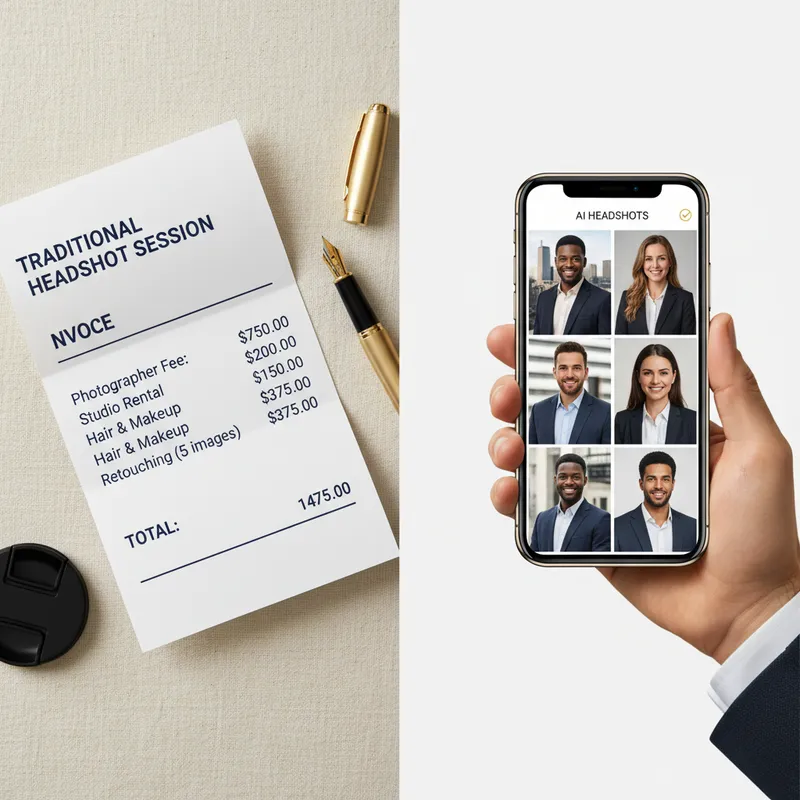
AI Headshot Generators for LinkedIn: Top Choices in 2025
Only 9% of LinkedIn users update their profile picture regularly, yet profiles with professional-looking headshots get 21x more profile views and 9x more connection requests. That discrepancy points to a significant missed opportunity for most professionals. Are AI headshot generators finally good enough to bridge the gap?
AI Headshots for Global & Remote Teams: How Distributed Companies Get Consistent Professional Photos
Distributed teams don't need to fly in a photographer for consistent employee photos. See how AI headshots let every remote team member get a matching, professional look from their own laptop.
Best AI Headshot Generators in 2026: An Honest Comparison
We compared 6 top AI headshot generators on quality, speed, privacy, and price. See which tool wins for LinkedIn, job seekers, and professionals in our honest 2026 comparison — and try the #1 pick free.