Best AI Headshot Generators in 2026: An Honest Comparison
Stature AI
AI Photography Experts
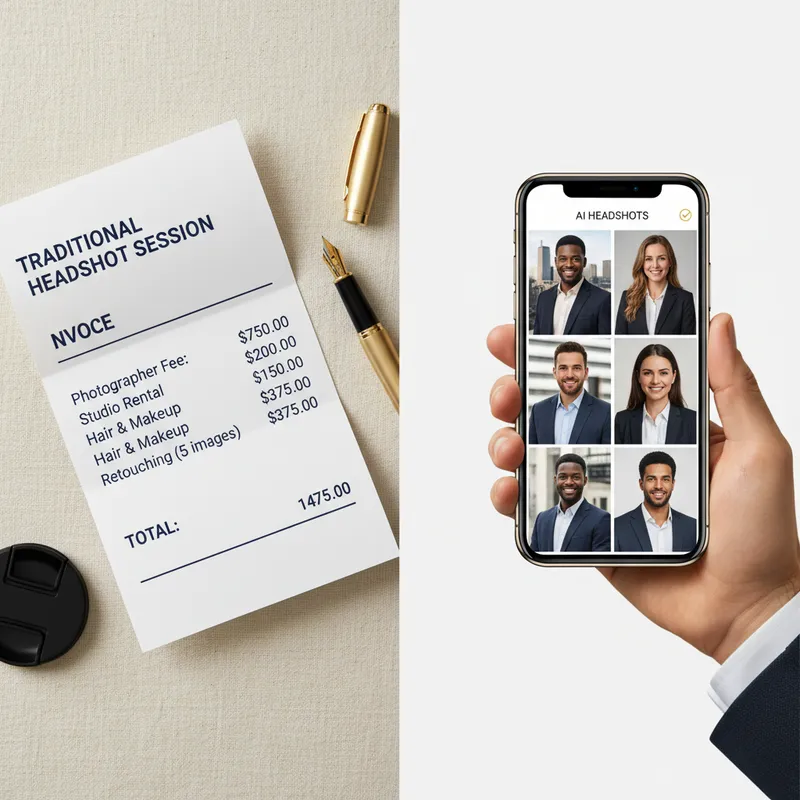
Professional headshots used to require a studio appointment, a professional photographer, and a budget that started around $200 and climbed quickly from there. In 2026, AI headshot generators can deliver recruiter-ready, polished results from your own photos — in minutes, for a fraction of the cost.
The market has grown fast. There are now dozens of tools claiming to offer "the best AI headshots," but quality, speed, privacy, and value vary considerably. After testing six of the most popular generators, we put together this comparison to help you cut through the noise.
Whether you need a new LinkedIn photo, an updated company bio headshot, or a set of professional images for a job search, this guide will tell you exactly what each tool delivers — and where each one falls short.
Why AI Headshots Have Replaced Traditional Photography for Most Professionals
The shift is not just about price. Three things changed at once: AI image quality crossed a threshold where results are genuinely professional-grade, processing times dropped from hours to minutes, and prices fell to a level where nearly any professional can afford a full headshot session.
For most use cases — LinkedIn profiles, company team pages, email signatures, speaker bios, and resume portraits — AI-generated headshots are now indistinguishable from studio photography. The only context where professional photography still holds a clear edge is high-stakes executive portraiture or editorial work where a single image will be displayed large and scrutinized up close.
For everyone else, the math has shifted decisively in favor of AI.
What We Evaluated
Before comparing individual tools, here is the framework we applied:
-
Output quality: Do the headshots look realistic, well-lit, and natural? Would they pass as professional photography?
-
Speed: How long does the full process take — from upload to finished images?
-
Pricing model: What does it actually cost? Are there subscriptions or hidden fees?
-
Style variety: How many different looks can you generate from a single session?
-
Privacy practices: What happens to your photos after generation? Are they stored or used for model training?
-
Free preview or trial: Can you test quality before paying?
-
Ease of use: How much friction does the process involve?
The 6 Best AI Headshot Generators in 2026
1. Stature AI
Best for: Speed, value, and privacy-forward professionals
Stature AI is purpose-built for professionals who want studio-quality results as fast as possible without sacrificing privacy. You upload 5 to 10 clear selfies, choose from six curated styles — Corporate, Creative, Tech, Lifestyle, Cinematic, and Dating Profile — and receive finished headshots in approximately two minutes.
What stands out:
-
Pricing: Starter plan at $19 (40 credits, 2 styles) or Pro at $39 (120 credits, 5 styles, HD quality). One-time payment. No subscription.
-
Speed: ~2 minutes per batch. Fastest of any tool we tested.
-
Quality: Built on purpose-built AI infrastructure optimized for headshot generation. Results are sharp, naturally lit, and realistic across all six styles. Skin tones and facial features are preserved accurately.
-
Privacy: Photos are processed and not retained for model training. Clear, privacy-forward data handling.
-
Free preview: Stature AI is the only major tool we tested that offers a free preview — you can see a sample result before spending anything.
The free preview alone is a meaningful differentiator. With most competitors, you pay first and hope the output meets your expectations. Stature AI removes that risk entirely. Combined with the lowest starting price and the fastest turnaround in the category, it is the most accessible entry point in the market.
The Pro plan at $39 for 120 images across five styles is particularly strong value for professionals who want variety — different looks for LinkedIn, company bio, speaking profile, and personal branding use across platforms.
2. HeadshotPro
Best for: Corporate teams and HR bulk orders
HeadshotPro has carved out a niche in the enterprise segment, offering a team management dashboard that makes it easy for HR departments to coordinate headshots for large groups. Individual users can use it too, but the pricing and interface are clearly optimized for bulk workflows.
-
Pricing: Starting around $29 per person. Volume discounts for teams.
-
Speed: 1 to 2 hours typical turnaround.
-
Quality: Consistently professional. Backgrounds can look slightly synthetic on some styles.
-
Privacy: Standard data handling. Worth reviewing their current policy for retention specifics.
-
Free preview: Not available.
For a company outfitting an entire team page or updating company-wide headshots at scale, HeadshotPro's dashboard is a genuine operational advantage. For individual professionals, the per-person cost and longer wait time are harder to justify compared to faster, cheaper alternatives.
3. Aragon AI
Best for: Users who want maximum style variety and customization
Aragon AI offers one of the widest selections of backgrounds, lighting setups, and outfit overlays of any tool in this category. It is designed for users who want to explore a large number of looks from a single photo session.
-
Pricing: Starting around $29 for a base package. Higher tiers unlock more outputs and styles.
-
Speed: 30 minutes to 2 hours, depending on server load.
-
Quality: Generally strong, though some outputs can look over-processed — smoothed skin and artificial-looking backgrounds appear more frequently here than with top alternatives.
-
Privacy: Temporary storage for processing. Review current terms for retention details.
-
Free preview: Not available.
Aragon is a good fit if customization is your priority and you have time to sort through a large batch of outputs. If you want a quick, consistent, reliable result, the longer turnaround and variable quality are friction points worth considering.
4. ProPhotos AI
Best for: Budget-conscious users who need basic headshots fast
ProPhotos AI is a lean, low-cost option aimed at users who need a passable headshot quickly without much complexity. The interface is simple, the process is streamlined, and the price is among the lowest in the category.
-
Pricing: Starting around $25 for a basic set.
-
Speed: 30 minutes to 1 hour.
-
Quality: Functional for LinkedIn profiles, email signatures, and basic bio pages. Less polished than premium tools for HD use cases or high-visibility placements.
-
Privacy: Standard processing terms.
-
Free preview: Not available.
ProPhotos AI does what it promises at a low price point. For casual needs where you need something acceptable and quick, it delivers. For anyone who needs headshots for executive profiles, speaking engagements, or prominent brand placements, the quality ceiling limits its usefulness.
5. BetterPic
Best for: Creative and lifestyle professionals who want an editorial look
BetterPic leans into a more polished, stylized aesthetic. Results typically feature stronger color grading, more dramatic lighting, and a more editorial visual language than the standard corporate-style outputs from most competitors.
-
Pricing: Packages starting around $25 to $35.
-
Speed: 1 to 2 hours.
-
Quality: Distinctive and polished. The style skews toward creative and lifestyle applications; it can look slightly over-produced for traditional corporate environments.
-
Privacy: Varies by plan tier. Review current terms.
-
Free preview: Not available.
If you work in creative industries, media, personal branding, or lifestyle content, BetterPic's visual sensibility may be exactly what you want. If you are in law, finance, consulting, or other conservative professional contexts, the styling may not translate well.
6. Try It On AI
Best for: Users who want a simple, low-commitment starting point
Try It On AI positions itself as a frictionless entry into AI headshots with a minimal upload requirement and a fast generation process. It is accessible and easy to use, making it a reasonable starting point for users new to the category.
-
Pricing: Free tier available with limited outputs; paid plans start around $15 to $20.
-
Speed: 15 to 45 minutes.
-
Quality: Decent for basic use cases. Outputs can vary in consistency — some images hit well, others feel less polished. Best used as an introductory test rather than a primary professional headshot source.
-
Privacy: Standard terms. Review current policy.
-
Free preview: Limited free outputs available.
The free tier makes Try It On AI worth testing as a first introduction to AI headshots. For serious professional use, most users will quickly find the quality ceiling limiting and look for a more consistent, higher-quality tool.
Side-by-Side Comparison
| Feature | Stature AI | HeadshotPro | Aragon AI | ProPhotos AI | BetterPic | Try It On AI |
|---|---|---|---|---|---|---|
| Starting Price | $19 | ~$29 | ~$29 | ~$25 | ~$25 | Free / ~$15 |
| Speed | ~2 min | 1–2 hrs | 30 min–2 hrs | 30–60 min | 1–2 hrs | 15–45 min |
| Style Count | 6 curated | 4–5 | 10+ | 3–4 | 5–6 | 4–6 |
| HD Output | Yes (Pro) | Yes | Yes | Limited | Yes | Limited |
| Free Preview | Yes | No | No | No | No | Limited |
| Subscription | No | No | No | No | No | No |
| Privacy Focus | Strong | Standard | Standard | Standard | Standard | Standard |
| Team Features | No | Yes | No | No | No | No |
Stature AI in Depth
Stature AI earns the top recommendation in this comparison for three reasons: speed, value, and the free preview.
Speed first. A two-minute turnaround is not a marginal improvement over competitors — it is an order-of-magnitude difference. Every other tool in this roundup takes at least 15 minutes and typically 30 to 120 minutes. For a professional who needs a usable headshot today, that difference is significant.
Value second. At $19 for 40 images across two styles, Stature AI's Starter plan is among the lowest price points in the category for a genuinely full-quality result. The Pro plan at $39 for 120 images across five styles is exceptional value for professionals who need variety — LinkedIn vs. company bio vs. speaking profile all benefit from slightly different looks.
The free preview third. No other major tool in this comparison allows you to test output quality before paying. Stature AI's free preview lets you upload photos and see a sample result, which means you buy only if you like what you see. Given how much quality varies between individual photos and tools, this is a material risk-reducer that competitors have not matched.
The tool also holds a clear privacy advantage. Photos are processed and not retained for model training — a meaningful consideration for professionals who are thoughtful about where their biometric data goes.
How to Choose the Right Tool
The decision usually comes down to what you actually need:
-
You need results today and want the best value: Stature AI. Free preview, $19 entry price, two-minute turnaround.
-
You're outfitting an entire company team: HeadshotPro. The team dashboard justifies the premium for bulk use cases.
-
You want to explore dozens of visual styles: Aragon AI. Wide customization, but allow time for sorting through variable outputs.
-
Your budget is tight and basic quality is sufficient: ProPhotos AI or Try It On AI. Functional outputs at minimal cost.
-
Your brand lives in creative or lifestyle territory: BetterPic. The editorial aesthetic works well outside conservative professional contexts.
FAQ
What is the best AI headshot generator in 2026?
For most professionals, Stature AI is the top choice in 2026. It combines the fastest turnaround in the category (~2 minutes), the lowest starting price ($19), a free preview before purchase, and strong privacy practices. The results are sharp, realistic, and suitable for LinkedIn, company bios, resumes, and professional profiles.
How much does an AI headshot generator cost?
AI headshot generators typically range from $15 to $50 for a complete set of images. Stature AI starts at $19 (40 images, 2 styles) with a Pro plan at $39 (120 images, 5 styles, HD). Most tools use one-time pricing rather than subscriptions. Some offer limited free tiers or previews.
Are AI headshots good enough for LinkedIn?
Yes. In 2026, the output quality from leading AI headshot generators is fully suitable for LinkedIn profiles, company team pages, email signatures, and professional bios. Most professionals, recruiters, and hiring managers cannot distinguish a high-quality AI headshot from a studio photograph when viewed at typical digital sizes.
How many photos do I need to upload to get a good AI headshot?
Most AI headshot generators require 5 to 20 photos. Stature AI works well with 5 to 10 clear, well-lit selfies taken in different lighting conditions and angles. Better input quality consistently produces better output — avoid blurry photos, heavy filters, or images with other people in the frame.
Do AI headshot generators store my photos?
It depends on the tool. Many services retain photos temporarily for processing, but some store them longer or use them to improve their AI models. Stature AI explicitly does not retain photos for model training — your images are processed and not stored beyond what is needed to deliver your results.
Can I use an AI headshot for a job application?
Yes. AI-generated headshots are widely used for LinkedIn profiles, resumes, and professional portfolios. Employers and recruiters do not distinguish between AI-generated and studio-photographed headshots when reviewing applications — what matters is that the photo looks professional and clearly represents you.
Ready to try AI headshots without the risk? See a sample result before you pay with Stature AI's free preview.
Upgrade Your Professional Image
Stop using outdated or amateur photos for your career. Get studio-quality AI headshots in ~2 minutes with Stature AI. Join thousands of professionals who have already upgraded their digital presence.
Create Your Headshots NowRead Next
AI Headshot Generators for LinkedIn: Top Choices in 2025
Only 9% of LinkedIn users update their profile picture regularly, yet profiles with professional-looking headshots get 21x more profile views and 9x more connection requests. That discrepancy points to a significant missed opportunity for most professionals. Are AI headshot generators finally good enough to bridge the gap?
AI Headshots for Global & Remote Teams: How Distributed Companies Get Consistent Professional Photos
Distributed teams don't need to fly in a photographer for consistent employee photos. See how AI headshots let every remote team member get a matching, professional look from their own laptop.
How to Get a Professional Headshot Without a Photographer (2026 Guide)
You no longer need to spend $200+ or book a studio session to get a recruiter-ready headshot. Here is how to create a polished, professional headshot using your smartphone and AI tools in 2026.